The brief arrived on a Tuesday with a subject line I’d learned to dread: “Need a full visual suite by Friday.” Fifty images — product shots, lifestyle scenes, social banners, and a few abstract texture backgrounds — all for a single direct‑to‑consumer brand with a very specific muted‑terracotta palette and a rule that every composition had to feel like it belonged in the same photoshoot. In the past, I’d have pulled together a mood board and coordinated three different tools to approximate consistency. This time, I decided to run the entire project through multiple AI image platforms in parallel, not to compare single outputs, but to see which one could maintain a unified visual language across dozens of generations. One AI Image Maker became the backbone of the project, and the reason had less to do with any single image and more to do with how the platform handled repetition, history, and prompt memory.
Why Coherence Fails Silently In AI Image Pipelines
Most AI image generators are evaluated on their ability to produce a single stunning image. A platform that renders a jaw‑dropping cinematic portrait will earn headlines and social shares. But brand work requires the opposite skill: generating fifty images that feel like variations on a theme, not fifty disconnected masterpieces. The failure mode I encountered repeatedly on several platforms was subtle inconsistency — the same prompt, run five times, would shift the color temperature from warm to cool, alter the depth of field, or subtly change the subject’s proportions. One shot would be gold‑hour warm, the next would be flat studio lighting, even though the prompt specified lighting conditions explicitly.
This silent drift is exhausting to correct. I’d find myself in a loop of generating, comparing side‑by‑side, discarding the outlier, and re‑prompting with increasingly desperate adjectives. On two platforms, I eventually gave up and planned to color‑grade everything in post, which defeated the time‑saving purpose of using AI in the first place. What I started valuing most was prompt stability — a platform’s tendency to interpret the same adjectives the same way across generations, even if that interpretation wasn’t the most artistically adventurous one available.
The Coherence Stress Test Across Six Platforms
I ran the full fifty‑image brief on six platforms, using the same master prompt library of twelve prompt templates, with slots for different products and backgrounds. I logged how many images per platform I had to discard due to style drift, color inconsistency, or compositional weirdness. The table below reflects the project completion scores, weighted toward consistency rather than peak quality. A platform that produced three breathtaking images and forty‑seven rejects would score lower on overall than one that produced fifty competent, cohesive shots.
| Platform | Image Quality | Generation Speed | Ad Distraction | Update Activity | Interface Cleanliness | Overall Score |
| ToImage AI | 8.0 | 8.5 | 9.4 | 8.9 | 9.5 | 8.9 |
| Midjourney | 9.2 | 7.3 | 9.7 | 8.4 | 6.7 | 8.3 |
| Adobe Firefly | 8.3 | 8.2 | 9.1 | 9.2 | 8.1 | 8.6 |
| Leonardo AI | 8.5 | 7.8 | 7.0 | 8.6 | 7.4 | 7.9 |
| DALL‑E (via ChatGPT) | 7.9 | 8.3 | 9.2 | 8.0 | 9.0 | 8.5 |
| Canva AI | 7.4 | 9.0 | 5.2 | 8.1 | 7.4 | 7.4 |
Midjourney’s individual image quality is still the benchmark, but when I tried to replicate a precise brand palette across fifty images, the platform’s strength in creative interpretation became a liability — each generation introduced beautiful but off‑brand lighting shifts. Adobe Firefly held color better than most, and its integration with Creative Cloud helped with post‑processing, but the generation queue sometimes felt sluggish during peak hours. ToImage AI didn’t produce the single best image in the set, but it produced the most consistent set, and its interface cleanliness score reflects how easy it was to track forty or fifty images without losing my place.
How The Platform Supported A Fifty‑Image Sprint
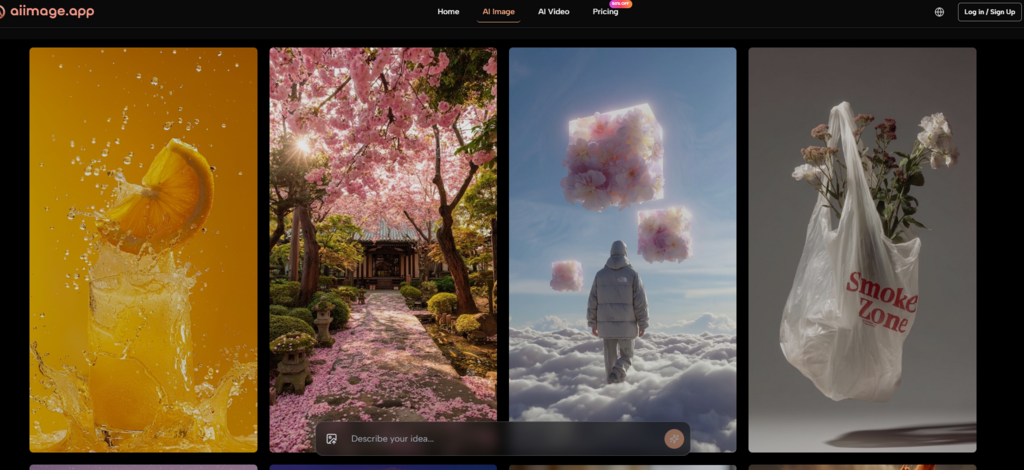
What I needed most during this project was memory — my own, and the tool’s. I had to recall which prompt template I’d used for the hero banner three days earlier and what minor tweak fixed the shadow direction on the product close‑ups. ToImage AI kept a scrollable history that didn’t expire, and the prompt field retained my last input even when I switched between models. That sounds like a footnote in a spec sheet, but when you’re on image thirty‑seven and your coffee is cold, not having to re‑type a paragraph of description is a mercy.
The Prompt‑Preservation Habit That Formed Naturally
Model‑Switching Without Losing Your Place
On several occasions, I generated an image with one model, realized the lighting felt off, switched to a different model in the same interface, and hit generate again without retyping a single word. The second output often landed closer to the brand’s established look, and because the original prompt was still visible, I could note which adjectives the second model had interpreted more faithfully. This tight feedback loop accelerated my understanding of which model handled which surface material — terracotta ceramic, brushed metal, linen fabric — and by the project’s end, I was routing prompts to GPT Image 2 whenever the image included text labels or precise geometric packaging, where the model’s structural accuracy kept things aligned.
The Four‑Step Routine That Carried The Project
I settled into a rhythm that carried me through all fifty images. First, I wrote a text prompt describing the subject, the brand’s muted color palette, the lighting style, and the overall composition. Second, I selected a model — often the structured‑output model for product shots, a faster model for background textures. Third, I generated the image and checked it against the reference board I’d built from earlier successful outputs. Fourth, I downloaded the high‑resolution version and, if the shot was part of a series, saved a copy to the platform’s history before moving to the next prompt. The routine was repetitive but never irritating, and that lack of irritation is, I think, what allowed me to finish the project on a Thursday afternoon instead of a stressful Friday night.
What Consistency Still Can’t Fix
No amount of platform stability can completely overcome the inherent variability of diffusion‑based generation. Even on ToImage AI, I discarded about fifteen percent of the outputs for subtle issues — a hand holding a product at an impossible angle, a background texture that repeated in a visible grid. The image‑to‑video feature, which I tested for a few animated social assets, added another layer of unpredictability: a perfectly composed still image would sometimes turn into a clip with unnatural motion blur around the subject’s edges. I used those clips internally but didn’t send any to the client.
The audience for this kind of workflow is specific: brand designers, content marketers, and e-commerce managers who need visual volume with a recognizable aesthetic thread running through it. AI Image App is less relevant for an artist seeking a single standout canvas print, where the thrill of an unexpected creative detour is part of the value. But for the work that keeps the lights on — the fifty-image sprints that populate product pages and social feeds — the tool that values consistency over surprise is the one that will still be open on Friday afternoon.
When The Project Ended, The Tabs Stayed Open
I delivered the fifty images, the client approved forty‑three on the first pass, and I spent the weekend not thinking about AI at all. When I returned on Monday, the browser tab with ToImage AI was still there, still logged in, still showing my history. I started a new brief without the background anxiety I’d come to associate with tool‑hopping. That’s the quiet success of a platform that understands coherence isn’t a bonus feature — it’s the entire requirement when someone else’s brand depends on your output. The market is full of generators that can dazzle you once. The fewer ones that can stay consistent across fifty tries are the ones I’ll keep paying for.