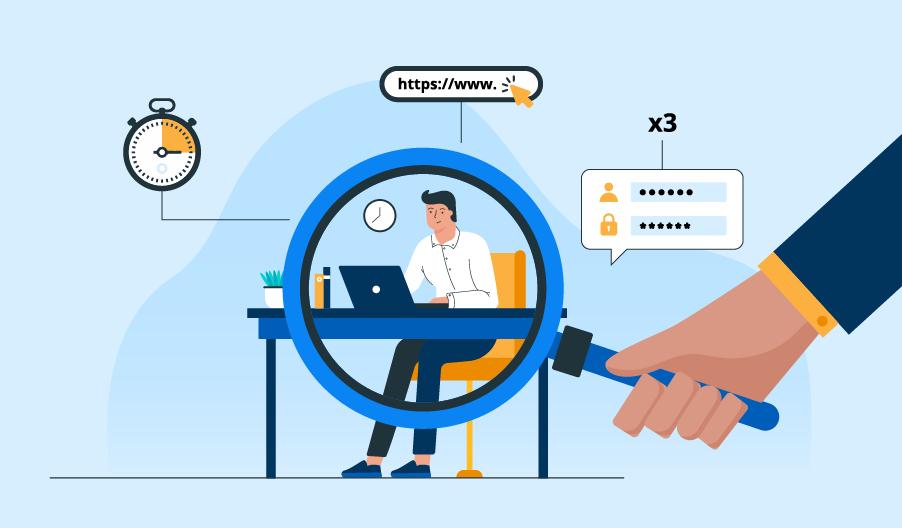
Employee monitoring tools fall into four main types: time trackers, activity analytics platforms, automatic trackers, and security-focused systems. Each type records different data. The plan you pick often decides which of those features you can use.
If you manage a remote marketing team, that difference matters more than it seems. Your writer, ads specialist, and designer all spend their hours differently, so a single activity report rarely shows what each person adds to a campaign. Without hours tied to clients and budgets, projects run over, and invoices become guesswork.
In this guide, you will see how the best 8 employee monitoring tools link hours to client costs, which keep monitoring light, and where each one falls short. You will also get a simple way to match a tool to your team.
Quick Overview
Apploye covers time tracking, client project costs, employee activity analytics, and billing in a single tool, making it the best overall remote employee monitoring tool on this list.
Its free Starter plan supports up to 10 users. The Elite plan adds unlimited app and URL tracking, real-time activity views, custom reports, and integrations. That means you can follow team activity, track campaign costs, and manage client work without juggling several tools.
The other seven tools each solve a narrower problem:
- Hubstaff and Time Doctor: time tracking and productivity.
- Clockify: billable hours.
- ActivTrak: workforce analytics.
- Rize: automatic time tracking.
- VSG-365.ai: workforce monitoring.
- Teramind: detailed activity monitoring and security.
Here is a quick comparison before we dig deep into the tools.
| Software | Best marketing use case | Starting price |
| Apploye | Managing remote agency teams and client campaigns | Free plan for up to 10 users |
| Hubstaff | Tracking hours across campaigns and contractors | $4.99 per seat per month (minimum 2 seats) |
| Time Doctor | Reviewing productivity across distributed teams | $6.67 per user per month |
| Clockify | Tracking campaign hours and billable work | Free plan; paid from $3.99 per seat per month |
| ActivTrak | Understanding productivity and work patterns | Free for up to 3 users; paid from $10 per worker per month |
| Rize | Reducing manual time entry | Team plan from $29.99 per seat per month |
| VSG-365.ai | Evaluating AI-driven workforce monitoring | From $5 per user per month (confirm with the vendor) |
| Teramind | Monitoring sensitive activity and reducing security risks | From $14 per seat per month (minimum 5 seats) |
1. Apploye: Best Overall for Remote Marketing Teams
If you manage several client accounts, and you can’t tell whether a campaign is profitable until the invoice is already out, Apploye is the best choice to go with.
Apploye links employee visibility to project time tracking and client billing.
If your team runs client social accounts, it also works as employee social media monitoring software, showing how much time each account takes. For agencies handling many accounts, that connection matters most.
What You Get With Apploye
- Campaign time tracking: Log hours spent on SEO, content writing, social media, and paid advertising.
- Employee activity monitoring: Review screenshots and app or website usage during working hours.
- App and URL tracking: See which tools and sites your team uses. Starter has limited tracking, and Elite makes it unlimited.
- Real-time activity views: Check who is working and what they are on right now (Elite plan).
- Activity analytics: Spot work patterns and workload imbalances across your team.
- Timesheets: Review tracked hours in one place, ready for approval and billing.
- Project reporting: Spot projects that take longer than planned.
- Custom reports: Build reports around the clients, campaigns, or team members you care about (Elite plan).
- Task management: Break campaigns into tasks, with unlimited tasks on the Elite plan.
- Integrations: Connect Apploye with project management tools such as Trello, ClickUp, Asana, Jira, and Zoho, so you can track time against the tasks your team already manages (Elite plan).
- Client invoicing: Connect tracked work to your billing process.
- Attendance management: Keep working hours and attendance records organized across time zones.
Apploye Pricing
- Starter: Free forever for up to 10 users. It includes time tracking, attendance, screenshots, limited app and URL tracking, activity analytics, timesheets, and up to three projects.
- Elite: $4.50 per user per month, billed annually. It adds unlimited app and URL tracking, up to 18 screenshots per hour, real-time activity views, custom reports, integrations, client invoicing, and unlimited tasks.
- Power: $8 per user per month, billed annually. It includes everything in Elite, plus higher screenshot limits and API access.
- Enterprise: Custom pricing. It includes everything in Power, plus advanced security and dedicated support, based on your team’s needs.
Positive Sides of Apploye
- The free Starter plan supports up to 10 users, so you can test it with a small team at no cost.
- Time tracking, activity data, attendance, and client invoicing sit in one platform.
- The Elite plan costs $4.50 per user per month, which is low next to most tools in this list.
- Project reports show which campaigns run over their planned hours.
- You can customize the screenshots for every hour in paid plans.
- URL and app tracking give you real insight into where your employees spend their time.
Apploye’s Limitations
- The free plan limits you to three projects and limited app and URL tracking.
- Client invoicing, real-time activity views, custom reports, and integrations require the Elite plan.
How You Could Use It in Your Agency
Say you run five client accounts. Organize the work by client and campaign, then review tracked hours and project reports each week.
If content production keeps going over budget, you can check the workload, adjust your estimates, or reassign tasks. When billing time comes, you can use the invoicing feature to bill from tracked work.
Who Should Choose Apploye:
Remote marketing agencies, digital marketing teams, and service businesses that want project-level accountability without a separate tool for every workflow.
2. Hubstaff: Best for Remote Team Operations
Your team is spread across clients, contractors, and internal projects, and you need one place to manage it all; Hubstaff is a good choice.
Hubstaff combines timesheets, activity levels, project tools, and reporting. Its project budgets and reports help you see how time is allocated. Some features, such as expanded app tracking and integrations, depend on your plan.
The Starter plan costs $4.99 per seat per month, with a minimum of 2 seats. Grow costs $7.50, Team costs $10, and Enterprise costs $25 per seat per month at the listed annual rates. Some monitoring and management features need higher plans or paid add-ons.
Pros: Project budgets and reporting in one platform; broad remote operations features.
Cons: Some features need higher plans or paid add-ons; 2-seat minimum.
Choose it if you want broader remote operations features. Compare its plan limits and add-on costs with Apploye before you decide.
3. Time Doctor: Best for Productivity Management
You can’t tell how your team splits time between campaign work, meetings, and everything else, and Time Doctor steps in to solve this.
Time Doctor offers time tracking, productivity reports, activity monitoring, and distraction alerts. These show you work patterns worth a closer look. Always check the context before labeling an activity productive or unproductive, since a long research session can look idle on paper.
The Basic plan costs $6.67 per user per month with annual billing. Standard costs $11.67, and Premium costs $16.70. Enterprise pricing comes from the sales team.
Pros: Productivity reports and distraction alerts show work patterns clearly.
Cons: Per-user prices rise quickly across plans; activity data needs context before you act on it.
Choose it if productivity reporting and distraction management are your priority. If you also need client invoicing and project-cost visibility, compare those workflows first.
4. Clockify: Best for Campaign Time Tracking
If you mainly need accurate hours per campaign and client, without extra features, Clockify should be the best choice.
Clockify’s free plan covers time tracking, and paid plans add administrative and reporting tools. Your team can use timers and timesheets to record SEO audits, content production, design work, and ad campaigns. Depending on the tier, paid plans also offer invoicing, timesheet approvals, and labor-cost reporting.
Paid plans start at $3.99 per seat per month with annual billing. Standard costs $5.49 and Pro costs $7.99 per seat per month.
Pros: Free plan available; low-cost paid plans.
Cons: Screenshots and activity monitoring are not its main focus; some billing and reporting tools depend on the tier.
Choose it if simple time tracking and billable-hour records are what you need most. If you also want screenshots, activity monitoring, and project management in one workflow, compare it with Apploye.
5. ActivTrak: Best for Workforce Analytics
ActivTrak focuses on work patterns and productivity trends rather than screenshots alone. Its reports can reveal workload imbalances, app usage patterns, and possible inefficiencies.
You can then adjust processes and workloads instead of guessing about individual performance.
It offers a free plan for up to three users. Paid plans start at $10 per worker per month for Work Activity Tracking. Workforce Management costs $15, and Productivity Optimization costs $17 per worker per month.
Pros: Strong workload and productivity analytics; free plan for up to three users.
Cons: Paid plans cost $10 to $17 per worker; less focus on client invoicing and project-based tracking.
Choose it if analytics matter more to you than client invoicing or project-based tracking. Check which reports each plan includes.
6. Rize: Best for Automatic Time Tracking
Rize tracks app and website usage automatically and uses AI to sort that time into categories. It does not record screenshots or keystrokes by default. That makes it a fit if you want time visibility with a lighter touch.
For agencies, Rize helps organize work by client and project, review billable time, and understand profitability. Team features include shared dashboards and reports, and employees can review their own time data.
Team pricing starts at $29.99 per seat per month with annual billing. Enterprise pricing is custom, and a free trial is available.
Pros: Automatic time capture; no screenshots or keystrokes by default.
Cons: The highest starting price in this list; no visual activity records.
Choose it if you want automatic time capture without screenshots. It is not a direct replacement for tools that provide visual activity records.
7. VSG-365 ai: Best for Workforce Monitoring and Analytics
VSG-365 ai includes screenshots, app and website tracking, activity and idle-time monitoring, project management, and productivity reports. These help you review work hours and see how workloads are spread across your team.
It offers a free trial and several paid plans, with entry-level rates starting at $5 per user per month. Confirm plan prices and feature limits with the vendor before you buy.
Pros: Attendance, screenshots, and idle-time tracking together; low entry price.
Cons: Prices and feature limits need vendor confirmation; marketing-specific reporting is unverified.
Choose it if attendance and workforce reporting are central to your needs. First, confirm that its reports support marketing tasks such as campaign tracking and client-level cost analysis.
8. Teramind: Best for Detailed Activity Monitoring and Security
Teramind offers activity tracking, screen recording and playback, alerts, and data-loss prevention, depending on the package. These tools help you investigate suspicious activity. The level of monitoring may be more than a typical agency needs for routine time tracking.
The Starter plan costs $14 per seat per month billed annually, or $21 billed monthly. The UAM plan costs $28 annually or $42 monthly. DLP costs $32 annually or $49 monthly. Enterprise pricing is custom, and standard plans require at least five seats. Request a quote or check Teramind’s website for current rates.
Pros: Screen recording, alerts, and data-loss prevention for security needs.
Cons: Higher prices and a five-seat minimum; more monitoring than most agencies need for routine tracking.
Choose it if security investigations and detailed activity monitoring are key requirements. If you focus on campaign hours and client costs, a project-based tool is likely a better match.
How to Choose the Right Tool for Your Team
Your choice depends on how you track work, bill clients, and manage remote staff. Check these five points before you commit.
1. Match the tool to your workflow. If you manage SEO, content, paid ads, and social media campaigns, prioritize project-based time tracking. If you care more about broad productivity patterns, workforce analytics may suit you better.
2. Check the client billing features. If you bill by the hour, look for project tracking, billable hours, timesheets, and invoicing. Apploye is a strong option here because it combines these with employee monitoring.
3. Choose the right monitoring level. Use screenshots and activity tracking only when your team needs that visibility. If your goal is less manual entry, automatic tracking may be enough. For sensitive client data, security-focused tools make more sense.
4. Compare the real cost. Price tools by your team size and the features you need, not entry-level rates alone. Apploye’s free Starter plan for up to 10 users is a practical starting point for small agencies.
5. Review reporting and privacy controls. Check whether reports support campaign decisions, whether the tool works with your existing apps, and whether you can control data access and monitoring periods. The aim is better project visibility without extra admin work.
Final Verdict
Remote marketing teams need more than a record of activity. You need to know where hours go, which clients they belong to, and whether each campaign stays within budget. Apploye handles this best on this list. It combines time tracking, activity analytics, employee monitoring, timesheets, and client invoicing in one platform.
The other seven tools fit different needs. Clockify works for simple billable hours, and ActivTrak suits workload analytics. Rize captures time automatically with a lighter touch, and Teramind fits teams that handle sensitive client data. Hubstaff, Time Doctor, and VSG-365.ai cover remote operations, productivity reporting, and workforce monitoring.
Start small before you commit. Set up Apploye’s free Starter plan for up to 10 users and track one client project for a few weeks. Then check whether the reports show where your hours and budget go. If they do, upgrade to a paid plan when your team grows.
Apploye is my top choice if you need time tracking, activity visibility, project tracking, timesheets, and client invoicing on a single platform.
Yes. Tools such as Apploye and Clockify let you link tracked time to projects and tasks, so you can review campaign hours and client costs.
Yes. Small teams can use time tracking and project reports to understand workloads, manage client hours, and plan better without complex enterprise systems.
Yes. Rize tracks time and application usage automatically, without screenshots or keystroke recording. It suits you if privacy is a priority.
Pricing varies by features and team size. Apploye offers a free plan for up to 10 users, with paid plans from $4.50 per user per month billed annually.
